

 Português
 Español
 Русский

The Classic PW 1.2.6 Test Realm
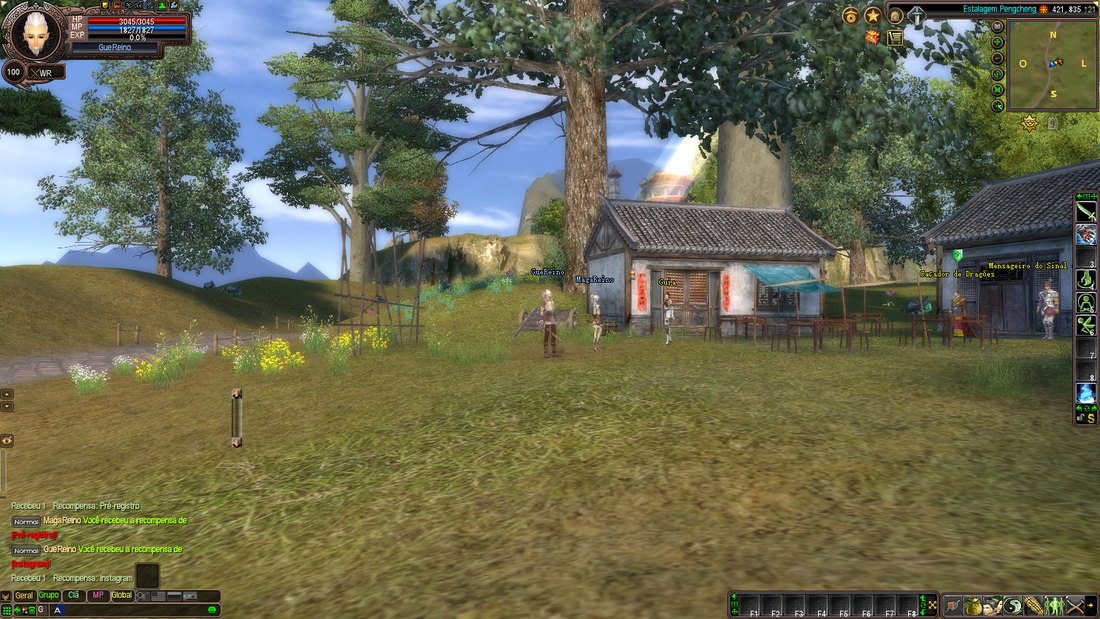
The new client for The Classic PW 1.2.6 on the Test Realm
The Classic PW 1.2.6 Test Realm is open! This is where we are showing off the new game client, which brings plenty of new features for your daily play: events, PvP, party, interface and much more.
The new client was built to be more optimized and to give us much more freedom to change the game. With it we can create windows, systems and events that weren't possible before, and the Test Realm is the place for you to try all of it up close.
Important: the Test Realm is a testing environment, separate from the official server. What you see there is just a demonstration: not everything will actually make it to the official server, and what does may still change before then. Progress made on the Test Realm does not carry over to the official server and may be wiped with each update.
HOW TO JOIN THE TEST REALM
You log in with the same account you already use in the game, no new sign-up needed. Just follow these steps:
- 1. Open The Classic Games launcher and, in the settings, enable Test realm.
- 2. In the Test Realm game list, pick The Classic PW 1.2.6 and download the new client. It installs in a separate folder and does not touch the client you use on the official server.
- 3. Open the game and log in with your usual account.
- 4. In the server list, choose TestServer Externo.
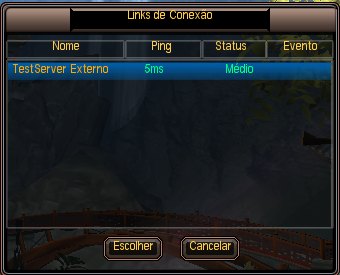
In the game, choose TestServer Externo
Check out what you can already test below. Keep in mind: everything here is in testing and may change or never reach the official server.
NEW WINDOWS AND SHORTCUTS
Event Calendar
A new button next to the minimap (the star) opens the calendar with all of the day's events: start time, minimum level, description and a button to teleport straight to the event.
- Schedules for Mini-TW, Mini Boss, PvP Hunt, Tournament, Nation War and more.
- Each event comes with an image, rules and rewards.
- Teleport from the calendar directly to the event.
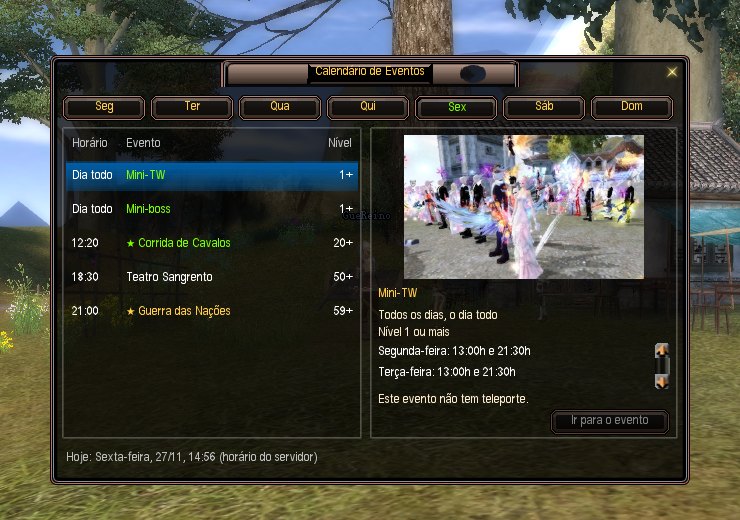
Event Calendar, with Mini-TW selected
Find Group
Automatic queue by instance (DG): pick the DG, join the queue and the game builds the party and sends the invite. The leader can also rebuild the party without having to disband it.
- List of DGs with the minimum level and how many players are already in the queue.
- Queue solo or with your party, with a lobby and automatic invite.
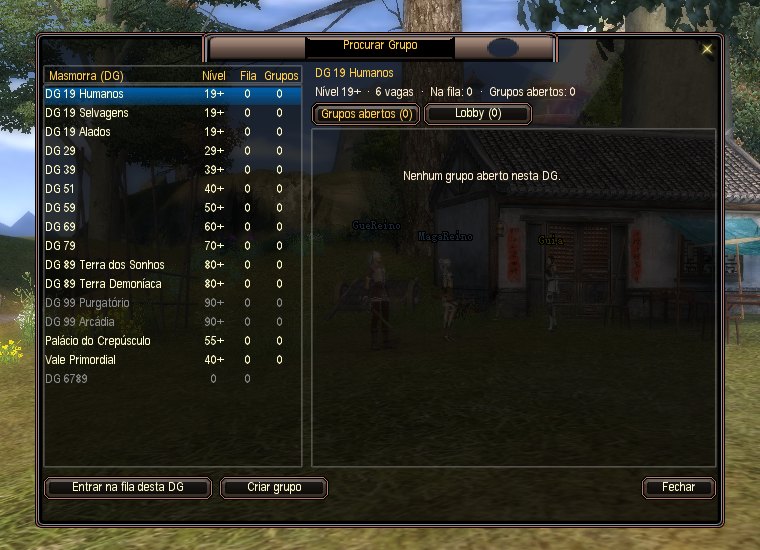
Find Group window (the little house next to the minimap)
Build Creator
Create up to 10 builds per character with 1.2.6 gear (fame up to 35k, Dusk up to 99, molds, Frost and the tournament martial helms) and see the final stats before you spend anything. The build marked "Use in modes" is the one that counts in the Arenas and the PvP Lobby, with the Balance Buff.
- First icon of the menu, in the bottom right corner.
- Slot by slot (weapon, armor and jewelry), with the server's list of pieces and a search field.
- Stats, refine level and cultivation points of the build.
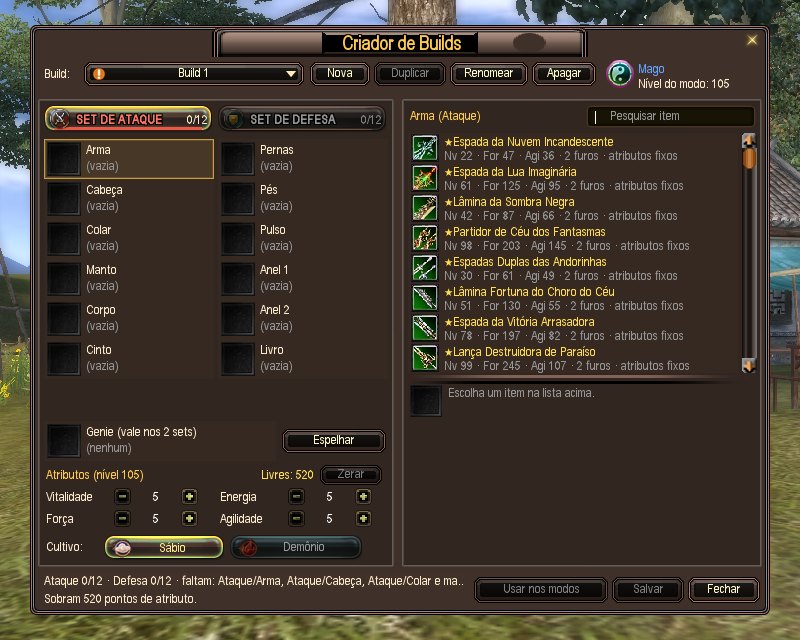
Build Creator with the weapon list
Single-Account Daily Chest
If you play one character at a time, you can claim one chest per day, with the reward delivered by mail.
- The chest sits right below the minimap buttons: the tooltip shows the requirements and one click claims it.
- The reward arrives instantly by mail, as "[NPC] Daily reward".
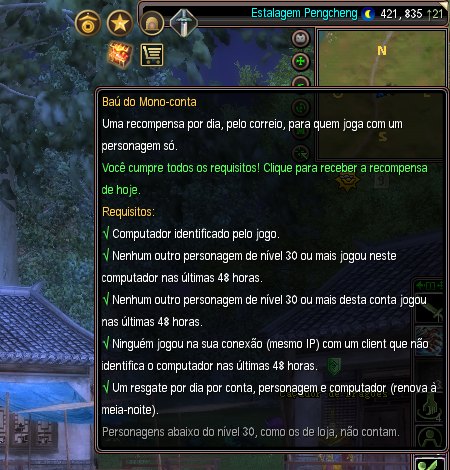
Chest tooltip with the requirements
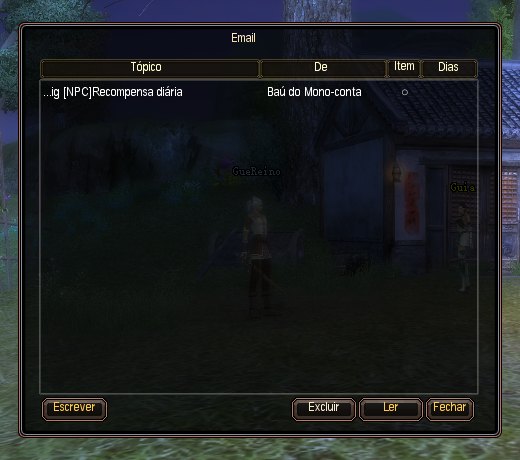
The Single-Account Chest letter in the mail
PVP, ARENAS AND EVENTS
Guan Yu Arenas
A PvP hub with four modes, opened by the sword next to the minimap. Each panel shows the schedule, the status and your score, and hovering the mouse over it brings up an explanation of the mode.
- Guan Yu Arena: matches from 1v1 to 6v6, in Insane and Balanced modes, with ranking and seasons.
- PvP Lobby: a clone of the world map just for PvP, with the Balance Buff.
- Mini Territory War: a short TW at a fixed time, open to all clans.
- Guild League: a seasonal competition between clans.
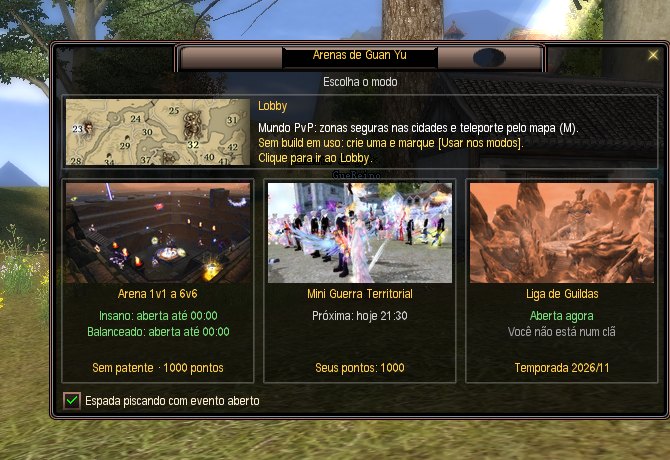
Guan Yu Arenas: Lobby, Arena, Mini TW and League
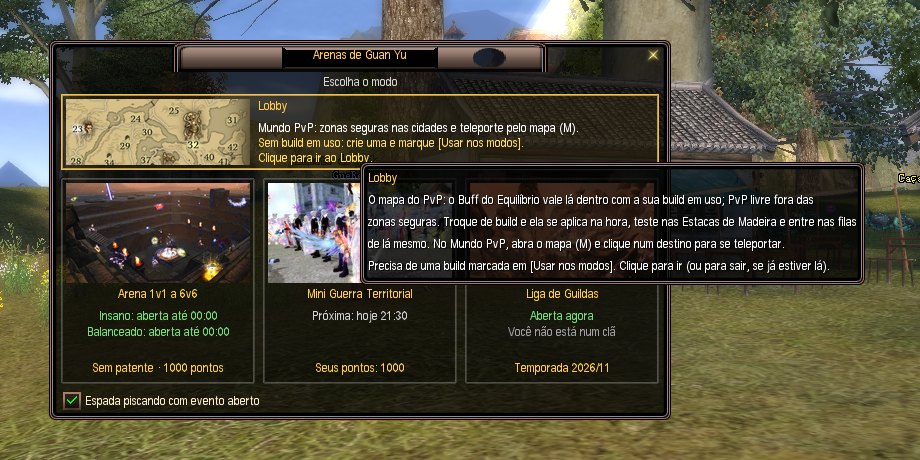
PvP Lobby tooltip
Betting House, TW Training and Clan Challenges
Before the Territory War, bet on the clan you think will win each territory. Clans can also schedule a TW training session or challenge another clan to a friendly fight.
- Betting House: round icon to the left of the star, showing the territories in dispute, attacker, defender and the total bet.
- TW training and friendly clan challenges.
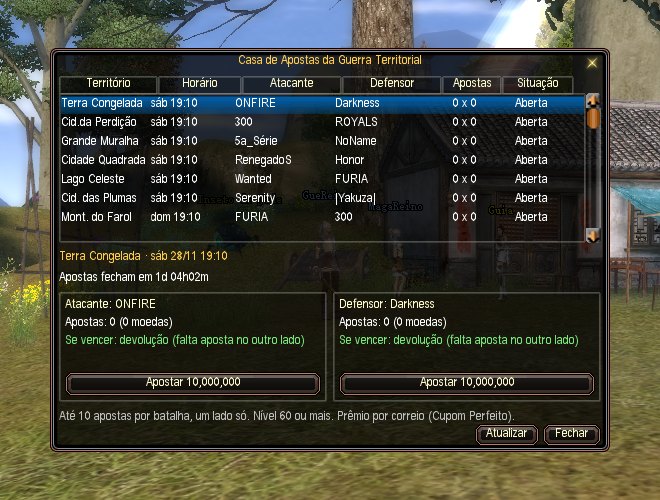
Territory War Betting House
PvP Hunt
An event at a random time, in a randomly chosen area of the map. The system announces it in chat and the area turns red on the map (M key): turn on PK and hunt the event monsters. Each kill is worth points, whoever dies hands part of their points to the killer, and the scoreboard shows on screen. The Hunt lasts 15 minutes, and rewards are sent by mail at the end.
- Chat announcement with the area's coordinates.
- Area in red on the map, with a tooltip showing the time left.
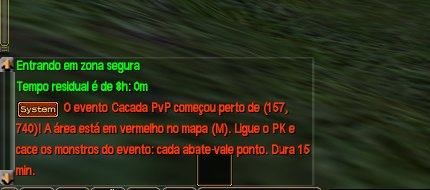
System announcement: the PvP Hunt has started
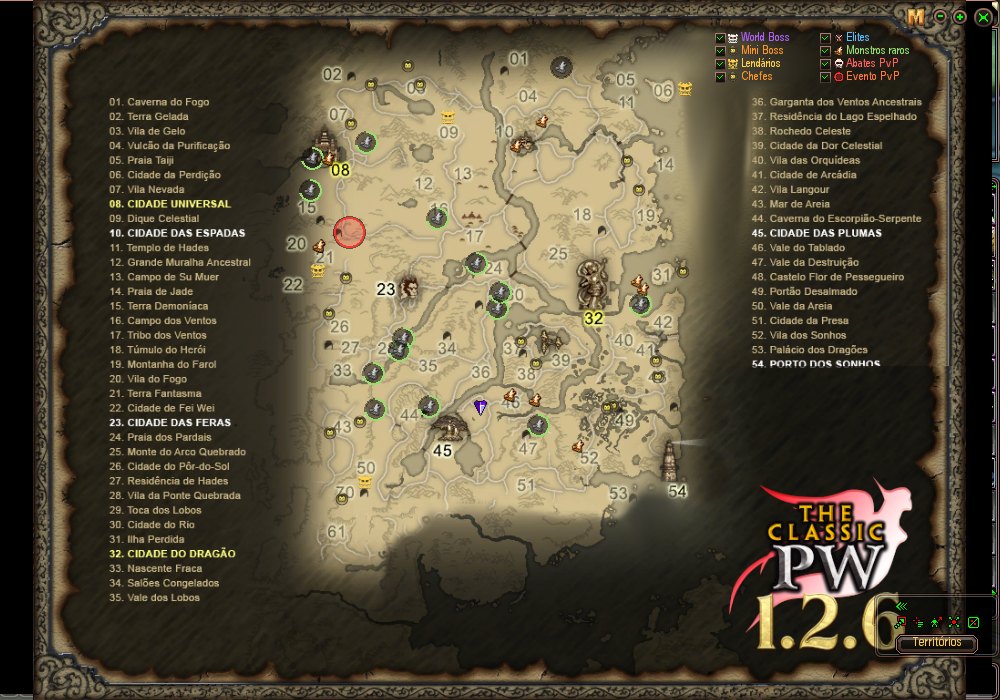
The Hunt area in red on the map
World Boss and Mini Boss
World bosses with their own window, schedules in the Event Calendar and rewards for those who take part.
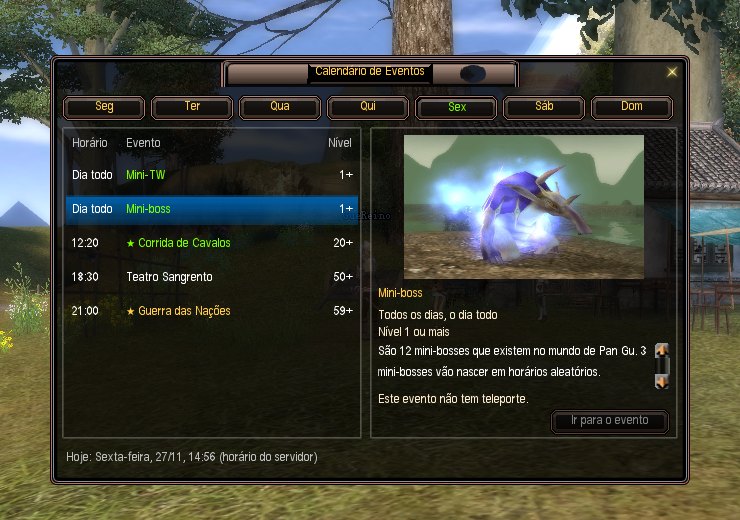
Mini Boss: the 12 bosses and where they spawn
Kills on Screen and in Chat
Each kill shows "KILL" on screen, appears in its own window and is announced in chat with the clan and class of the killer and the victim. Click the announcement and the map shows where the kill happened.
- The kill alert and the kill window can be turned on and off in Settings, Interfaces tab.
- On the map, the "PvP Kills" filter shows recent kills, and "PvP Event" shows the event areas.
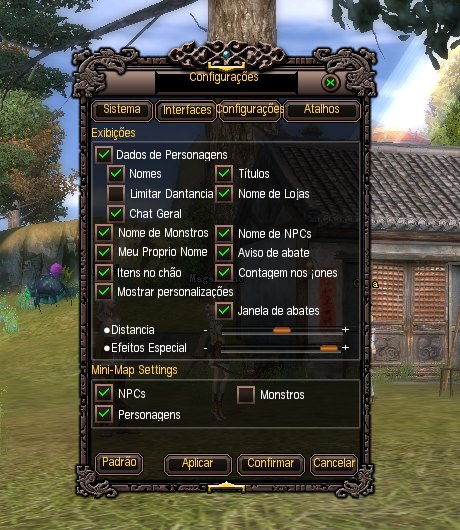
Interfaces tab: kill alert and kill window
PK Bonus and Other PvP Changes
With PK mode on, your character gets +10% EXP from all sources and more ore when gathering. The tooltip on the PK button, next to your level, shows whether the bonus is active.
- Thorn Wall reflects 1/4 of the damage against players.
- Archer's aim with no charge and no missing.
- Demon Flame Chain with a 100% chance of the buff.
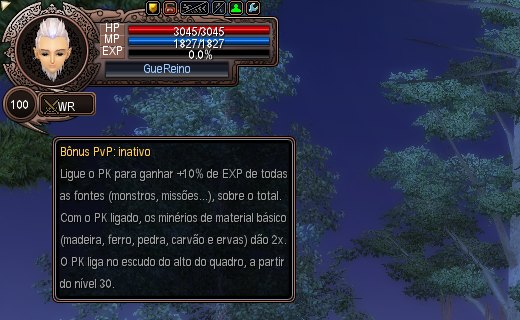
PK button tooltip with the PvP Bonus
PARTY AND INSTANCES
Party Improvements
Parties are now fairer and easier to put together.
- Mark spots for your party: Ctrl+click on the ground marks the place, with the distance; hold the click to open the ping wheel (attack, caution, defense and question mark).
- Rare items are rolled for with dice among everyone in the party.
- Change the item distribution without disbanding the party; the invite already shows which distribution is in use.
- When you invite someone who is already in a party, the game offers to ask to join theirs.
- Kill quests count for everyone who hit the monster (outside of DGs).
- DPS meter inside instances.
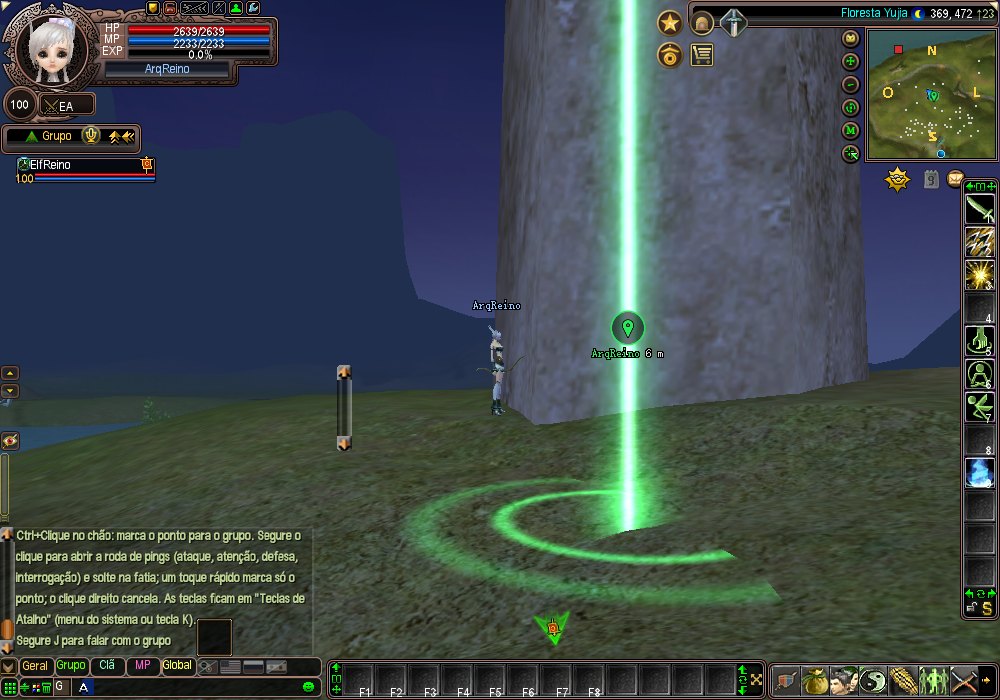
Ground ping for the party, with the distance and the mark on the minimap
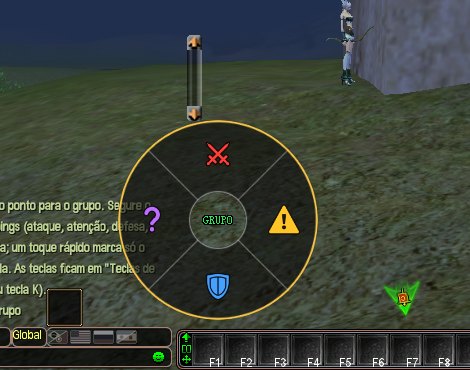
Ping wheel: attack, caution, defense and question mark
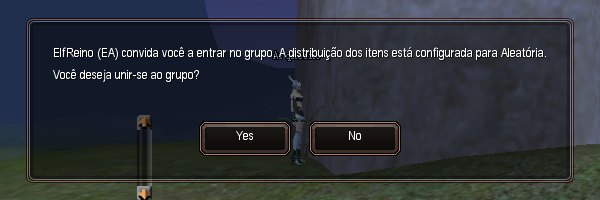
Party invite with the item distribution
INTERFACE AND QUALITY OF LIFE
World Map
The map (M key) shows bosses, rare monsters, PvP kills and the event area, with a filter to choose what appears. The detailed view shows the material mines.
- Filter in the top right corner: World Boss, Mini Boss, legendaries, bosses, elites, rares, PvP kills and PvP event.
- Respawn counter for bosses and rares.
- Detailed view of the region ("+" button) with the mines and the time until the next respawn.
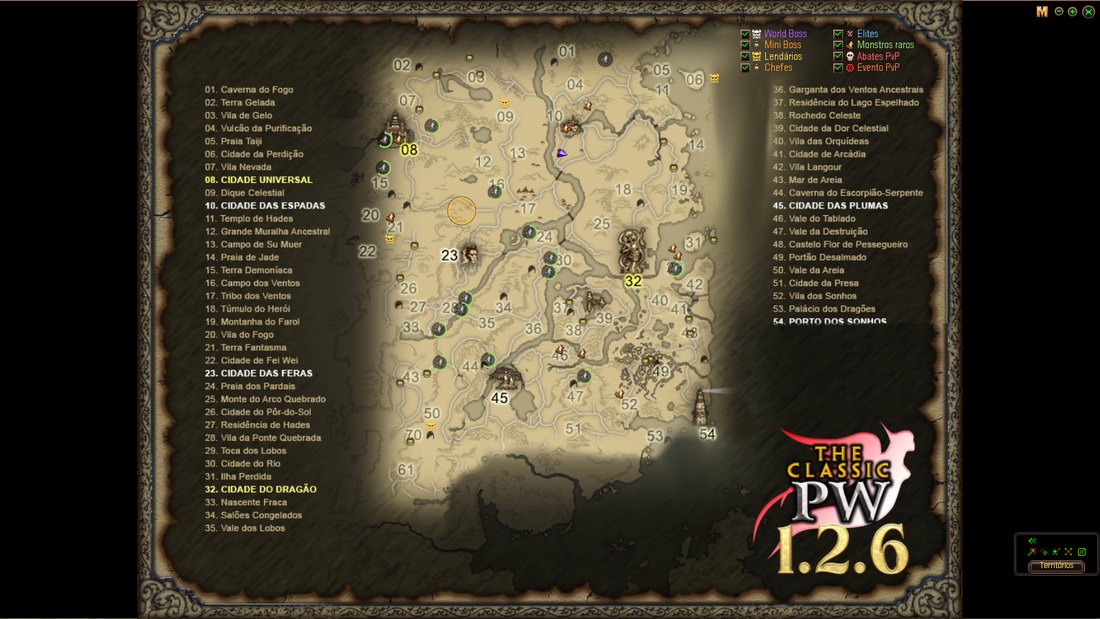
World map with the region list and the filter
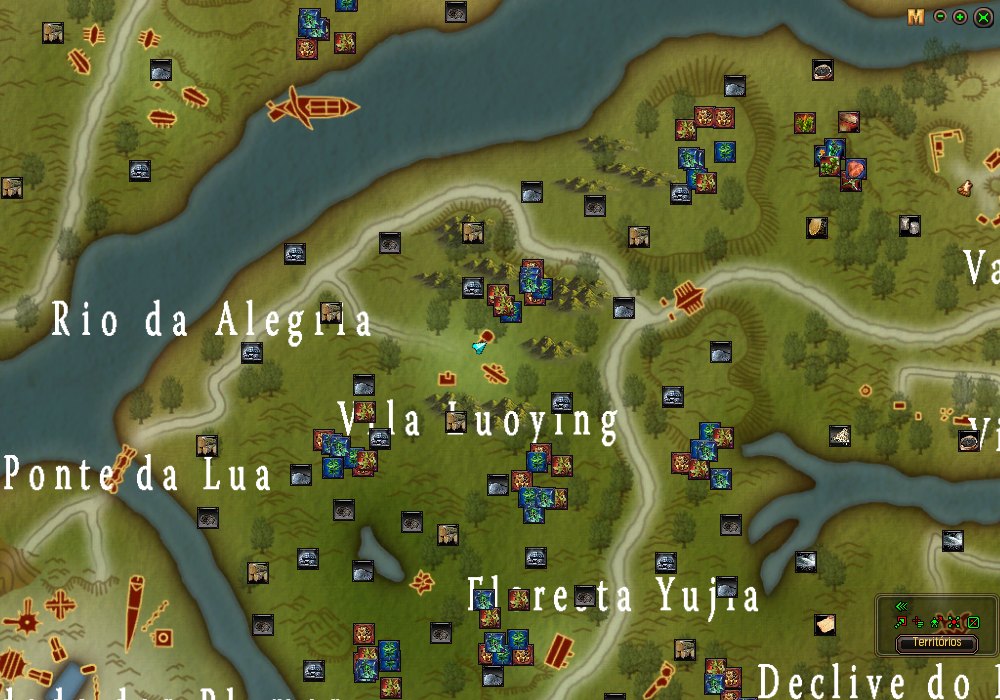
Detailed view with the material mines near Luoying Village
Drop Chest on the Target and Cooldowns on Icons
Select a monster and click the chest on the target frame to see everything it can drop, with the chance for each item. The icons on the bar show skill cooldowns and buff timers in numbers.
- Drop list adjusted to your level.
- Buffs and debuffs of the target's target.
- Exact healing value in the number that floats up on screen.
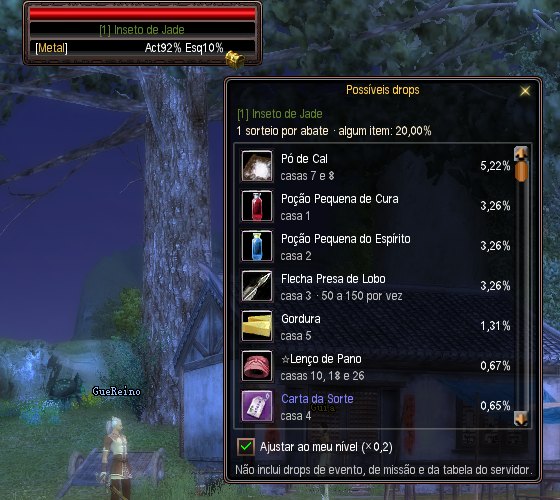
Possible monster drops, with the chances
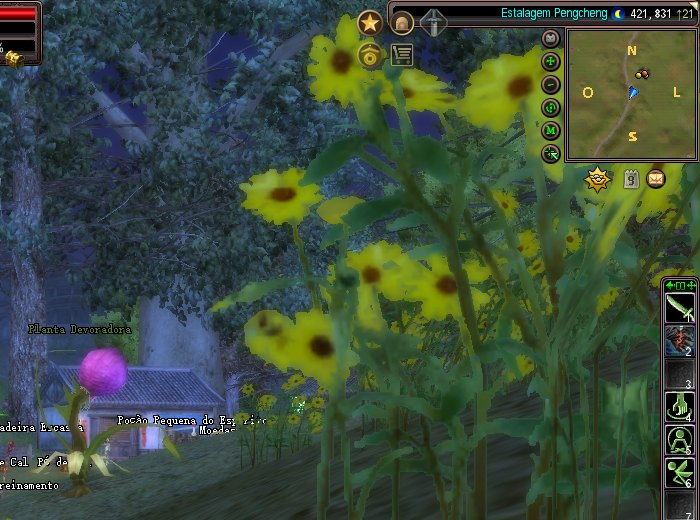
Cooldown in numbers on the skill icon
Character Window
The Character window (C key) gained a "Summoning" line, showing the summoning time reduction.
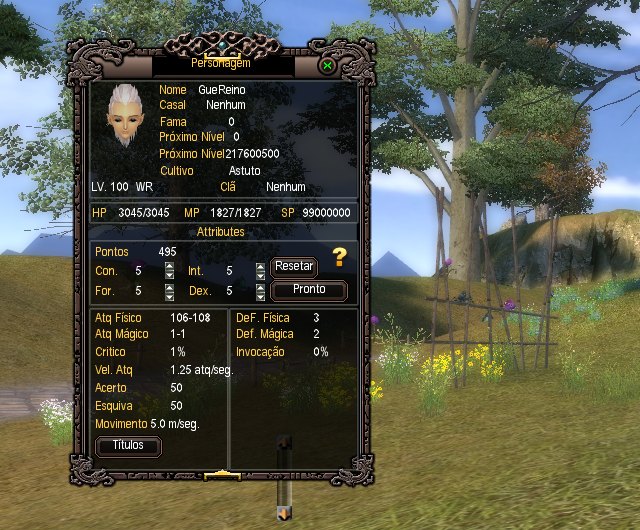
Character window
Inventory, Outfits and Banks
Choose piece by piece whether to show the outfit or the armor (checkboxes next to each part), sort your materials with one button and store all materials in the bank at once.
- Banks with 200 slots.
- "Sort materials" and "store materials" buttons.
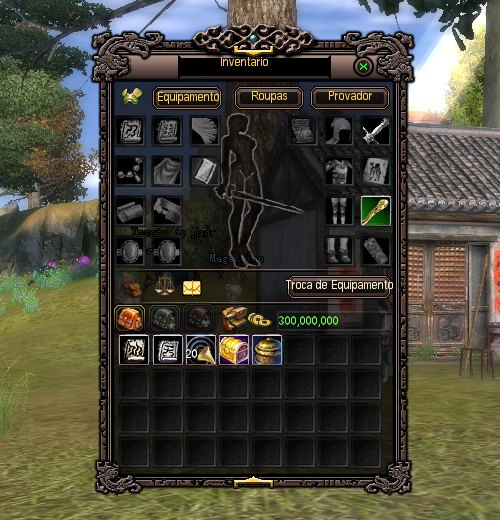
Inventory
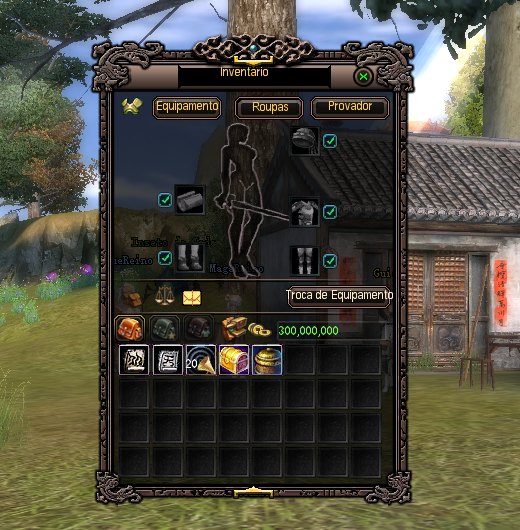
Outfits: choose piece by piece what shows
Item Search (Ctrl+F) and Quest Search
Ctrl+F opens a search across your items (inventory, bank and equipment). The quest window gained a "Search Quests" tab.
- Search in player shops and market value in the item tooltip.
- Forge chances in the crafting window.
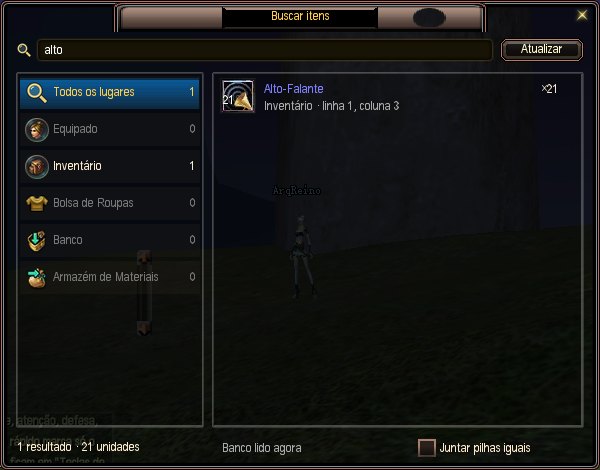
Search items (Ctrl+F): where each item is
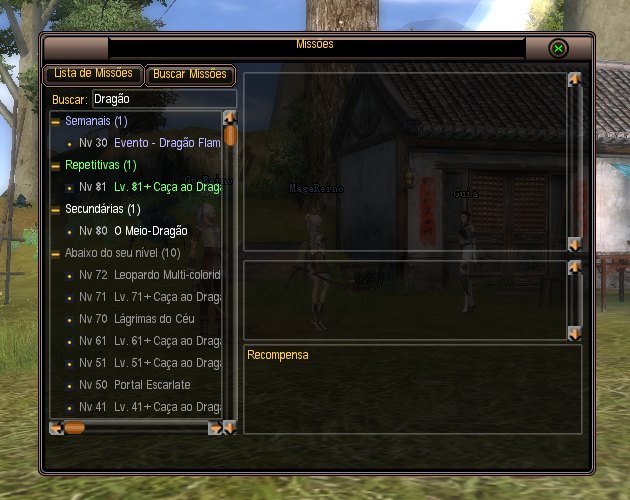
Search Quests
Settings: Hide Effects, PvP Optimization and Larger Interface
New options in Settings (swords menu in the bottom right corner, monitor icon).
- Hide other players' daimon, cultivation and ornamental pets.
- "Maximum PvP Optimization" to gain FPS in big fights.
- Interface scaling up to 1.5×.
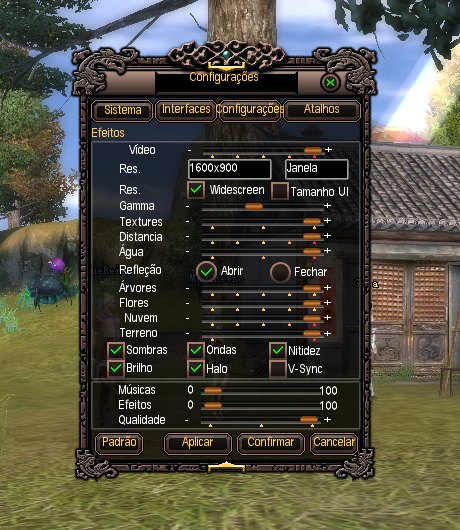
System tab
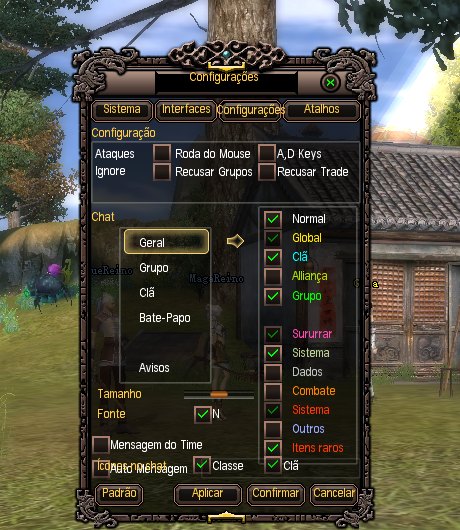
Settings tab
Chat with Clan and Class
The chat shows the clan and class icons of whoever is talking.
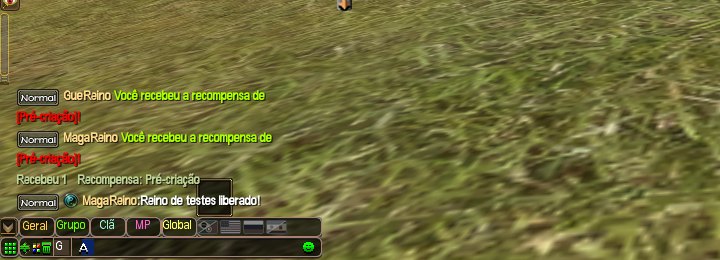
Message in local chat, with clan and class icons
Expanded Hotbar and Skill Tree
The hotbars grow: up to 3 extra rows on the bottom bar and 3 extra columns on the right bar, using the little green arrows. The bar can be saved and loaded, and the skill tree shows the icons.
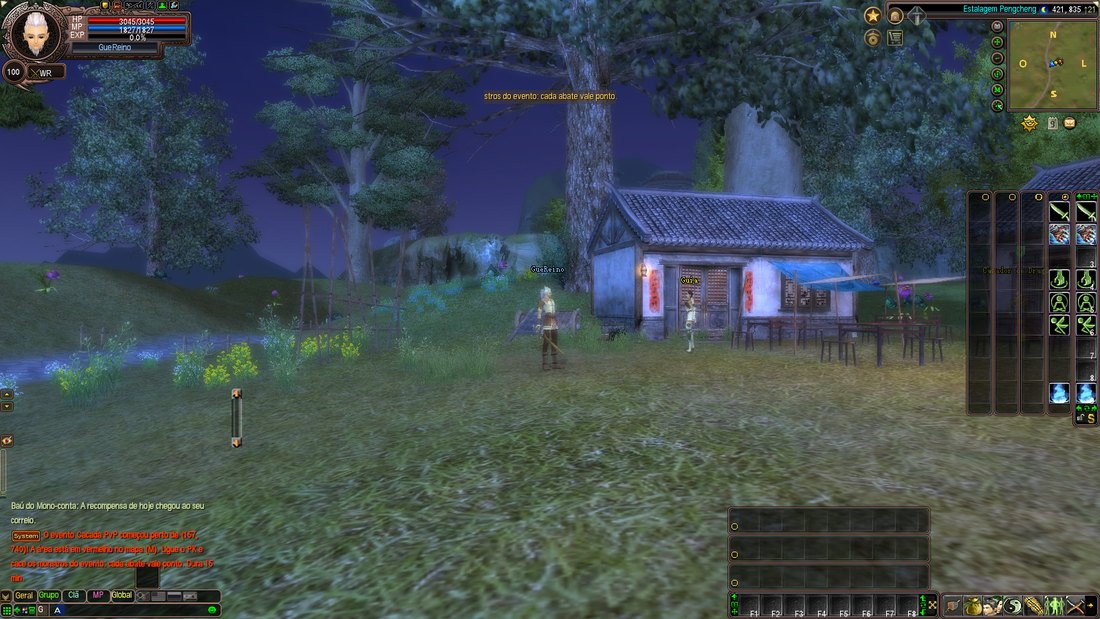
Expanded hotbars (bottom and right)
Personal Shop Anywhere
Open your personal shop anywhere on the map, not just in Dragon City. With the shop open, you can log out and leave the character online selling.
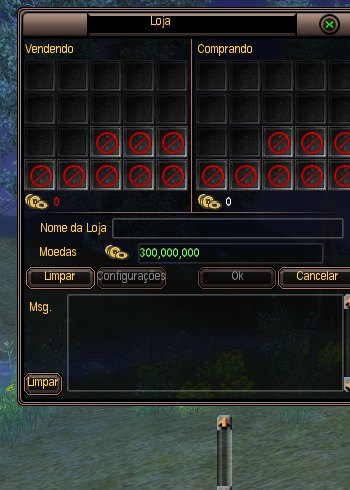
Personal shop open in the middle of the village
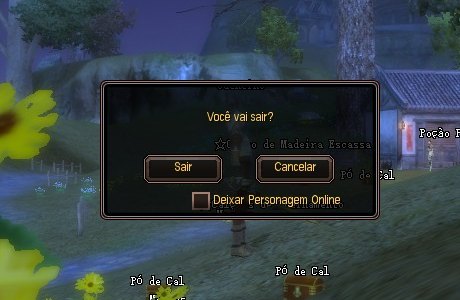
Logging out with "Leave Character Online"
CIRCULAR ECONOMY: REPAIRING WITH MATERIALS
The Circular Economy we announced in Update Notes 030 is already live on the Test Realm: to repair endgame gear, the game asks for materials instead of coins. Anyone using this gear will always need materials to keep it in shape, so Dusk farming, material farming and trading between players become valuable again.
Example: Dusk gear
Every Dusk piece (weapons, armor and jewelry) is repaired with the materials dropped by the Dusk bosses, and any of them works on any piece. A few examples (names as they appear in the game):
- Lâmina de Qin Tian, Tambor da Interferência and Fragmento da Armadura Qin Tian.
- Pele do Devorador and Pó Estelar.
- Destino do Crepúsculo, Remorso do Crepúsculo and Pedra da Terra do Sonho.
Left out are Fragmento de Esqueleto, Caveira das Charadas, Antiga Espada Ornamental, Pedra do Lar and Essência do Crepúsculo, which is still used in recipes.
How much each material repairs follows its value in player shops: the server recalculates it once a day, and a material worth more repairs more durability. That way, Dusk materials are always in real demand.
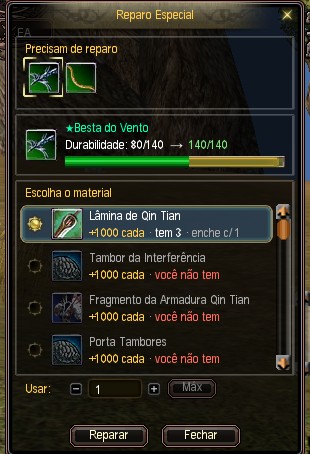
Special Repair: a Dusk piece with Lâmina de Qin Tian as the material
Other endgame gear
- Molds: crafting materials, such as wood, steel, silk, leather, glue and coal.
- Frost: Passados da Cidade do Gelo.
- Moon Valley (Vale da Lua): its own materials, such as Sílex Antigo and Fragmento Condensado.
- Fame items, the tournament helms and all other gear keep the normal repair, with coins only.
How to repair
- Open your inventory and click the anvil button, the gold icon in the row of bag tabs, right before your coins. It opens the Reparo Especial (Special Repair) window, which works anywhere on the map, no NPC needed.
- Pick an equipped piece (the window lists the ones that need repair) or drag the item from your inventory. The material is filled in automatically and can be swapped.
- The window shows the current durability and what it will be afterwards, plus how many materials you need and how many you have. The game always asks for confirmation before spending anything.
- The material has to be in your inventory (the bank doesn't count). If you don't have enough, you can do a partial repair with what you have.
- Repairing with materials costs no coins. The blacksmith doesn't repair these items: with "repair all", he fixes and charges only for the regular items.
- At zero durability, the piece stops giving stats until it is repaired.
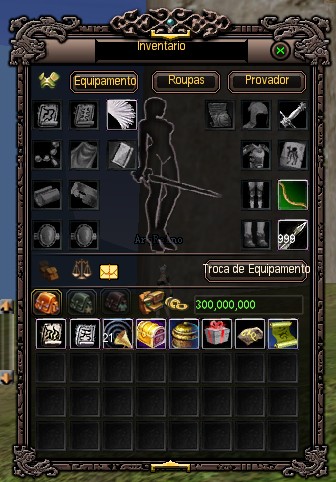
The anvil button, in the row of bag tabs, before your coins
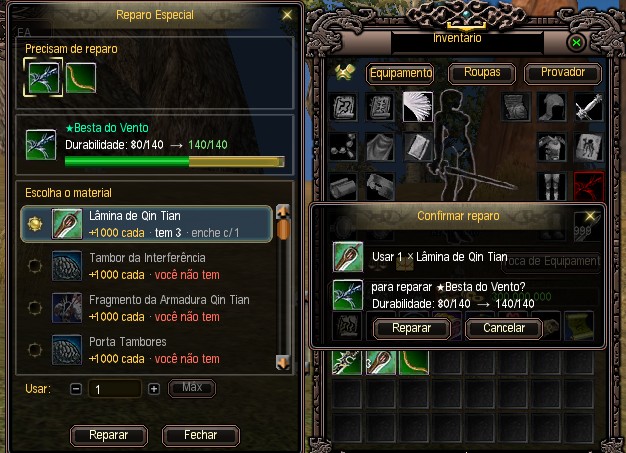
Confirmation before the material is spent
The materials and values are being tested and may still change before they reach the official server. Tell us what you think!
RULES BEING TESTED ON THE REALM
These rules apply only on the Test Realm and are there precisely so we can hear from the community. They may change or never reach the official server.
- Maximum refine +8. Items already above that stay as they are but can't go higher. +7 and +8 refines are announced in chat.
- Clans with no alliance (war only) and up to 2 Generals.
- Same-sex marriage.
- Letters with items arrive instantly.
- Learning skills costs coins again.
- Items dropped by monsters come with maximum durability.
- Around 35 fixes for game crashes and windows.
YOUR OPINION DECIDES WHAT GOES TO THE OFFICIAL SERVER
That's what the Test Realm is for: we want to know what you thought of each new feature. We will count on the community's feedback to decide what gets implemented on the official server, what needs adjustments and what stays out.
Tried something? Leave your opinion in the suggestions and on our Discord. Found a bug? Tell the team, with as much detail as you can.
Thank you for being part of building The Classic PW 1.2.6. See you on the Test Realm!